READYPLAY

How it works

From pin to permanent record.

Eight beats. Every Saturday run you've ever played already follows this arc. Now it leaves a record.

1

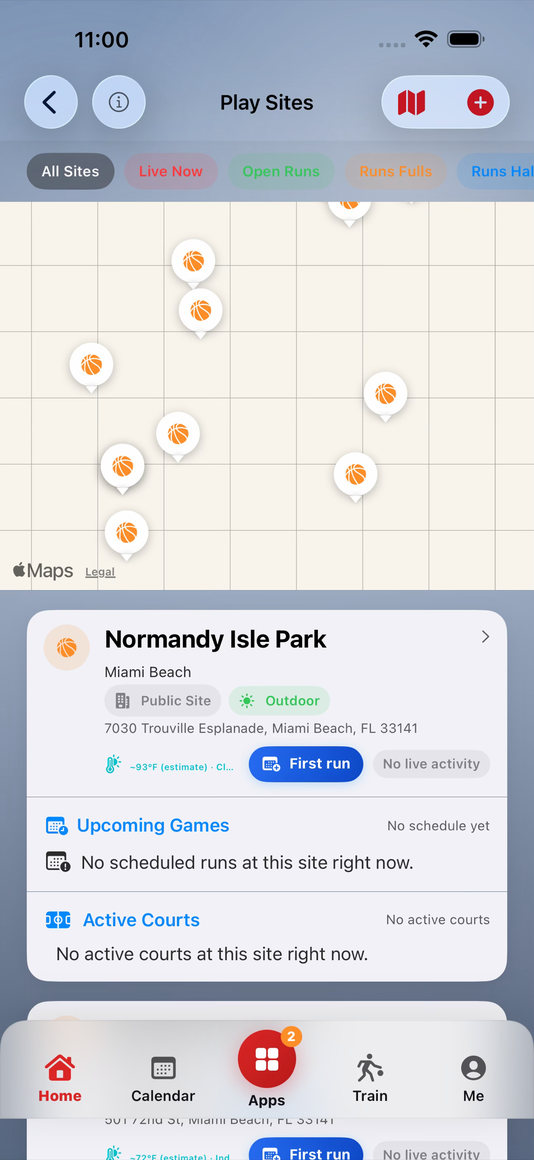
Pin the court

Drop the run at a real Play Site β€” a named court with a map pin, weather context, and its own leaderboard. No more 'same spot as last week.'
2

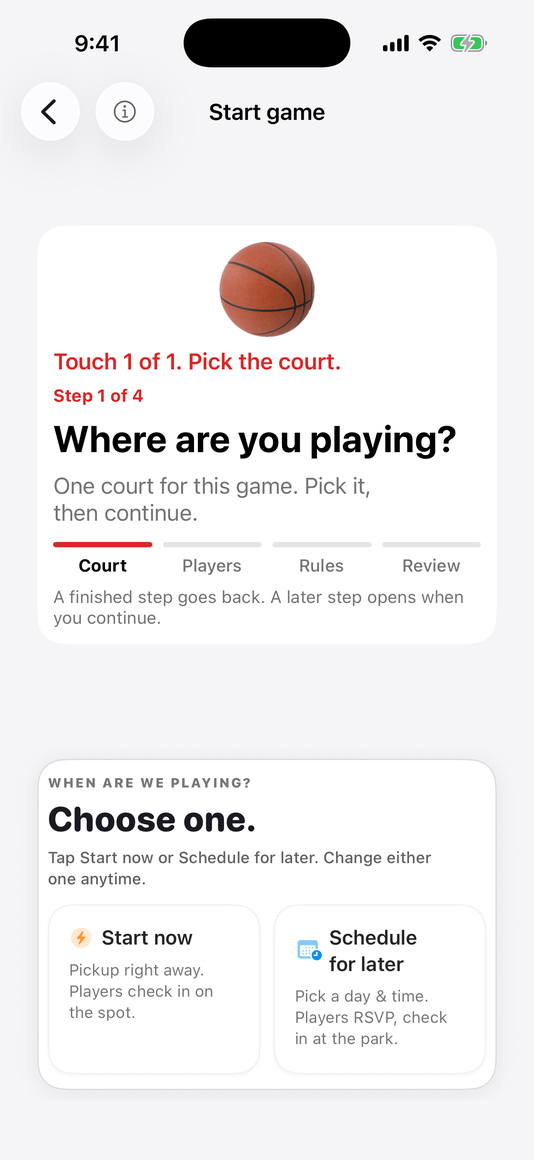
Post, invite, fill the bench

Open the game, send join requests, watch RSVPs come in. Saturday starts on time because the bench was confirmed Friday night.

3

Assign the scorekeeper

Someone keeps an honest book and everyone competes harder because the record is real. That role gets recognized β€” credits, reputation, the whole system runs on it.

4

Tap to score live

Big player tiles, one tap per basket, fouls on every row, quick undo. The scorekeeper never looks up from the game.

5

Watch and Lock Screen

Apple Watch and Live Activity put the score exactly where attention already is β€” on the wrist and the lock screen. The phone stays in the bag.

6

Close with reviews

Rate who you played with. Lock the score everyone saw. The record is signed, sealed, and attached to your profiles before anyone leaves the court.

7

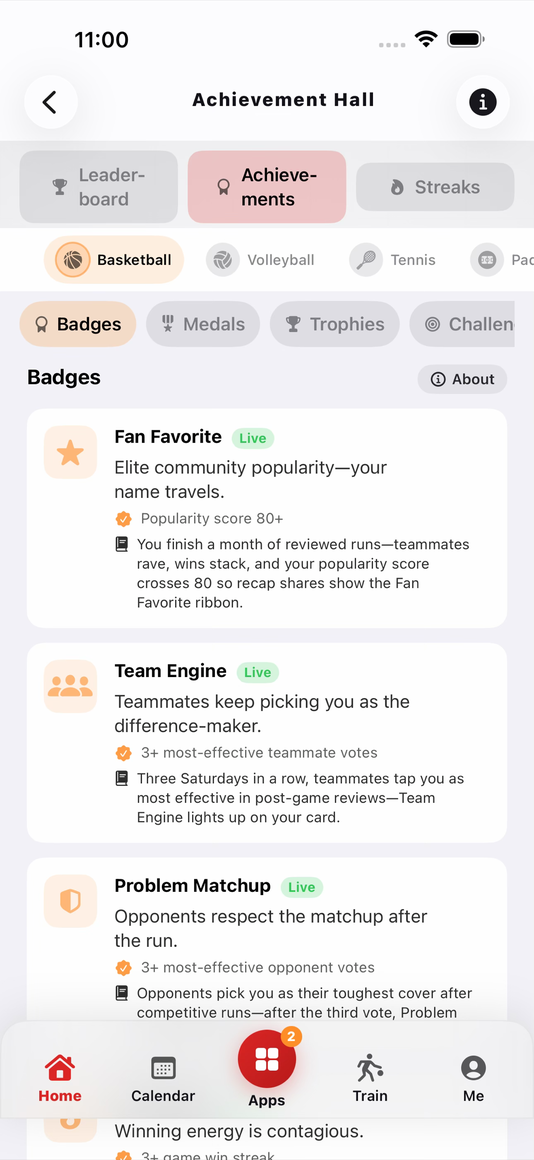
Leaderboards and Achievement Hall

Home boards update. Clutch badges land. Streak milestones get marked. Credits go to the scorekeeper automatically when the run finishes on record.

8

Paid fill-ins (coming)

When hire flows ship, your reputation from steps 1–7 is what earns you a listing. Paid pickup stays earned, not spam. Pickup itself stays free by default.

A real run, start to finish

Saturday at Lincoln Park.

One court. One organizer. Ten players. Here's how a pickup run goes from idea to permanent record β€” and how READYPLAY gets its first foothold at a new park.

How does a court get started? One person posts one run. That's it. The leaderboard, the history, the reputation β€” all of it builds from the first game. Marcus is that person at Lincoln Park.

πŸ“
Thursday 8pmMarcus

Posts the run

Marcus opens READYPLAY, picks Lincoln Park Court 2, sets tip-off for Saturday 10am, caps the roster at 10. Done in under a minute.

πŸ“£
Thursday 8:03pmMarcus

Sends join requests

He taps six regulars. They each get a notification with the court, time, and a one-tap accept. No group chat thread. No "you coming?" follow-ups.

βœ…
Friday nightEveryone

Bench is confirmed

Five accepted, one declined β€” Marcus adds a fill from the park's watcher list. Saturday starts on time because the bench was locked the night before.

πŸ“‹
Saturday 10:02amDeja

Keeps the book

Deja volunteers as scorekeeper. She's not on either team β€” just the most organized person at the court. Big player tiles, one tap per basket, fouls tracked with who-called / who-committed. She never looks up.

πŸ“±
During the runOn the sideline

Friends follow from the lock screen

Two players who couldn't make it watch the score on their Lock Screen β€” real-time, no app open required. When the margin hits 2 with one possession left, the Live Activity shows a clutch-time indicator.

⭐
Saturday 11:40amBoth teams

Close with reviews

Game ends 21–17. Everyone rates the players they guarded. Speed, defense, morale, teamwork β€” each attribute goes to the profile of the person who earned it. The score locks. No one disputes it.

πŸ…
Saturday 11:45amThe platform

Records land, reputation updates

Everyone's OVR shifts. Marcus climbs the Lincoln Park leaderboard. Deja earns scorekeeper credits automatically β€” no claim required. The game fingerprint is stored. That run now has a permanent record.

Next Saturday

Marcus posts the run again. Three new players show up. The leaderboard has two weeks of history. By month two, Lincoln Park Court 2 has its own standings, its own regulars, its own streak holders. The community built itself β€” one run at a time.

Scan & Connect

Meet a hooper. Know their game in seconds.

New face at the park? Scan their READYPLAY card from Apple Wallet or share sheet. Their public profile opens instantly β€” OVR rating, win record, attributes, recent games. Follow them, add them to a roster, and their reputation travels with them.

πŸ“ΈREADYPLAYPoint at QR card

Apple Wallet pass

Every READYPLAY player has a shareable Wallet card with their QR. No app needed to show it β€” it lives right on their phone.

Scan at the park

Open the scanner, point at their card. Their full public profile loads in one second β€” ready before you even pick sides.

Real reputation

OVR rating, peer-reviewed attributes, win streak, and conduct grade β€” all right there before you pick teams.

FAQ

Questions, answered.

Everything you need to know about getting on the court, keeping score, and building your record.

Games, scoring & credits

Creating & joining games

Runs, scheduling & recruiting

Apple Watch & health

Profile, ratings & measurables

Home, leaderboards & activity

Parks, courts & maps

Account & verification

Data, privacy & trust

About READYPLAY

Tips & troubleshooting

During a Live Game

Shortcuts, Widgets & System Integrations

Settings & Customization

Notifications

Game Fingerprints, Identity & Blockchain

Be first on the list.

Drop your email and we'll send you a TestFlight invite when the next cohort opens.

TestFlight invite Β· No spam Β· Unsubscribe any time

How READYPLAY works β€” READYPLAY